
Player · Tutorial
Understanding a Player recording
A recording is evidence from one execution of a study. The first task is to understand what it contains and which questions that evidence can answer.
What is saved, and what is not?
The portable DPSIM.Player.exe opens the program. A separate .dpsplay file supplies the recorded study. Launching Player alone does not create a result, and the executable does not replace the recording when passing a study to another reviewer.
Player reads recorded process states from a .dpsplay file. Those states describe the process at saved instants. Player does not execute the equipment model again or rerun its scripts. This explains both the usefulness of a recording for review and the limits of what can be inferred from it.
A .dpsdev project belongs to authoring in Developer. A .dpsplay recording belongs to result inspection. A result can therefore remain readable without supplying the complete editable project, but it cannot substitute for that project when the model must change.
The interface relates place, time and quantity
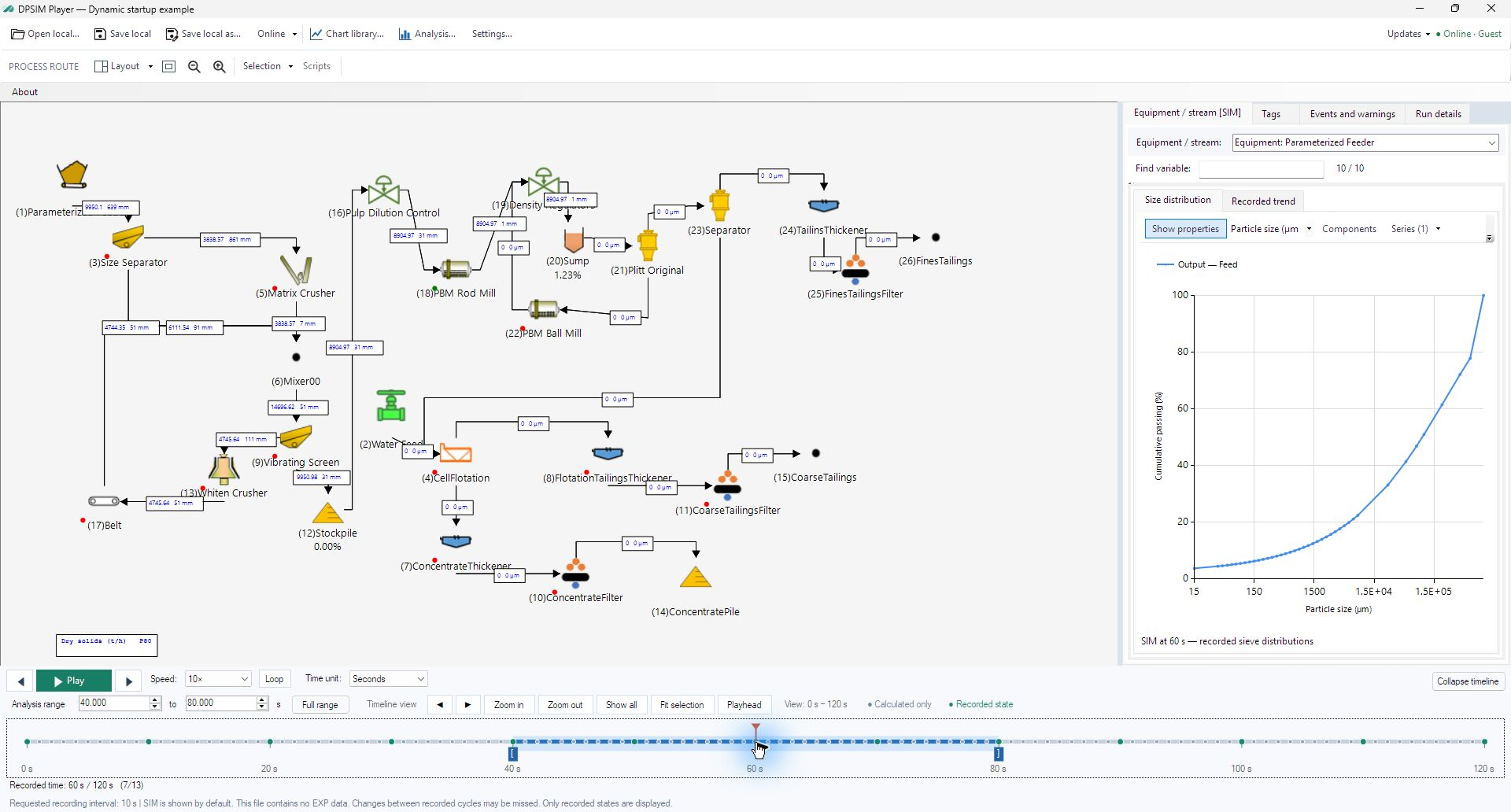
The route shows where a selected item sits in the circuit. The inspector identifies the available quantities for that item. Playback chooses the saved instant those quantities describe. Reading these three together avoids attributing a value to the wrong equipment or time.

The file tools and the layout tools have different scopes. Opening or saving concerns the recording and its presentation. Fitting, zooming and arranging the route concerns how it is viewed. Neither operation changes the original simulation calculation. The interface reference documents each control.
The identity of the file comes before its interpretation
Run details and Events and warnings provide context for the recording, where supplied. A valid file may still represent a different scenario, omit the desired EXP data or save too infrequently for a short event. These are different reasons why a curve may not answer the intended question.
The recording shown in these screenshots lasts 120 seconds and records every 10 seconds, producing 13 states including zero and the final instant. Treat its numbers as a worked example. For another file, establish the duration, saved instants and available variables from that file before following the exercises. It contains SIM data, no EXP data and no included script source. The disabled Scripts command describes this file’s contents; it does not imply that every recording omits source.
Exercise: identify a recording before analyzing it
- Open a local .dpsplay file with Open local. An available online result can alternatively be downloaded through Online → Open online, which saves a local recording before opening it.
- Read its study identity and duration. Determine whether it is the scenario you intended to inspect and whether the required type of data is present.
- Select an equipment item or stream and locate the corresponding owner in the inspector. Use Fit and the item selector if the route is difficult to navigate.
- Identify the current recorded time before discussing any value. In the practice file, the initial state is 0 s and there are 13 recorded states.
From identifying a file to following a change
Once the file’s identity is established, the next question is how a process quantity changes through the saved sequence. That requires distinguishing the current process instant from the interval used for analysis. The next lesson develops that distinction before constructing a chart.